 Playonder
Build the route
Drop checkpoints on a map, choose a mission for each one and teach the camera your landmarks from a few photos.
Players join from their phone’s browser, follow the map and use the camera to find real landmarks. You build the route once and run it with every new group.
No app to install. One link for every player.
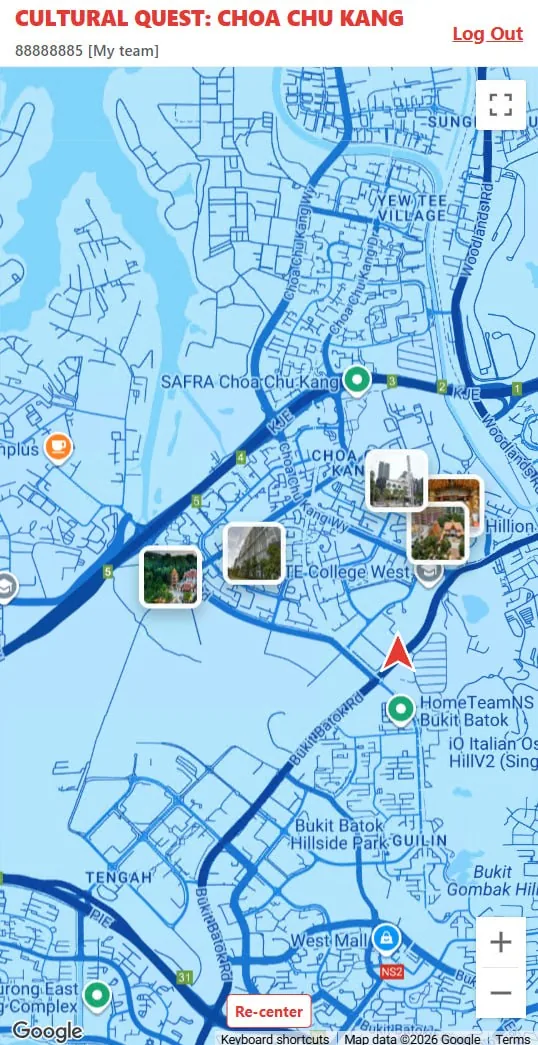
Find the next stopThe map shows every checkpoint and where your team is.
Earlier versions of Playonder ran two large events with about 1,800 attendances. We have since tested it in Seoul, Dubai and Berkeley.
You set up the route in a web admin. Players only need a link. You watch the game unfold and reuse the route for the next group.
Drop checkpoints on a map, choose a mission for each one and teach the camera your landmarks from a few photos.
Teams open a link, sign in with a phone number and head out. The map shows how close they are to the next stop.
See which team reached which stop, review results and run the same route again with a new group.
Each checkpoint asks players to do something only possible on the spot. Camera and GPS checks mean teams have to actually be there.
The same engine runs a one-off team day and a permanent city trail. What changes is the route, the story and who pays.
Give every team a shared mission across a district, a park or your own campus, and reuse the route for the next group.
Help new students find their way around and meet each other, then reuse the trail every fall.
Turn heritage, public art and local businesses into a trail residents and visitors can play any day.
Students work in teams and have to find, frame and explain what they see.
Everything below is in the admin panel today. You do not need a developer to add a stop, change a question or teach the camera a new landmark.
Place stops on the map, set how close players must get and hide the final stop until the rest are done.
Upload photos of a landmark, crop it and train. Extra photos help it work in different light.
Set a pose from a photo, add voice questions with expected themes and generate narration from text.
See every team’s progress, export results and spot suspicious activity.
Your name, logo and colours on every screen, with consent text for local privacy law.
In our own screen recording, adding and training a new landmark took under four minutes.
Cultural Quest: Choa Chu Kang is a heritage trail through temples, mosques and local landmarks, built with the event company HDFX. It is in preparation.
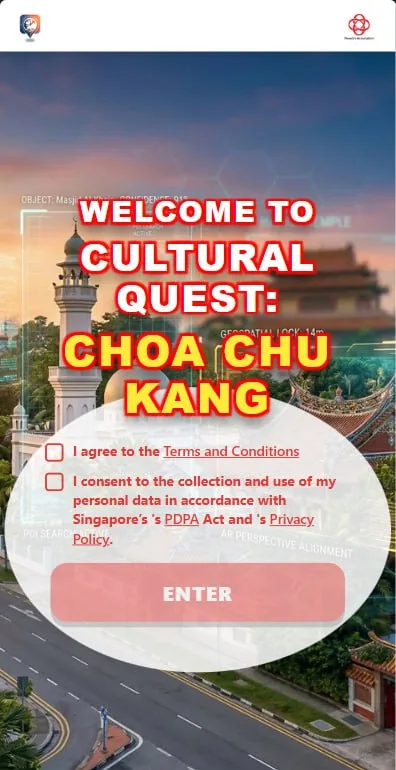
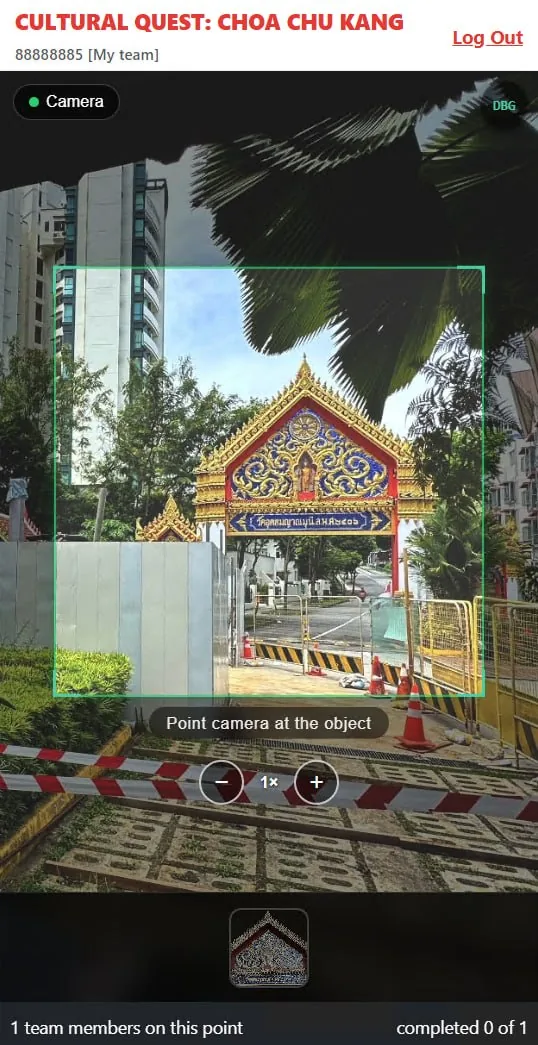
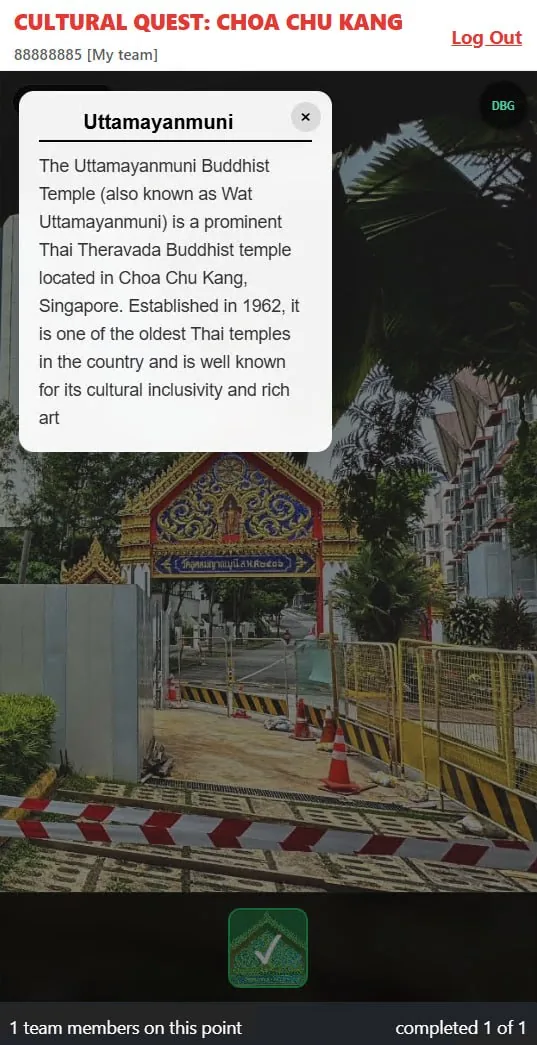
Screens from the current build.
Open the trailA pilot is the fastest way to see how your group plays. Pricing depends on the number of stops and players; we will quote after a short call.
Where you want to play, who is coming and what the day should achieve.
We choose the stops, collect photos of the landmarks and write the missions together.
After the first game you can edit the route and launch it again from the admin panel.
No. Playonder runs in the phone’s web browser. Players open a link, enter a phone number and join a team.
A smartphone with a camera, location services and mobile data. Most missions happen outdoors, where GPS works best.
From a single team to large events. The largest event run on an earlier version had about 1,500 attendances.
Yes. Games show your name, logo and colours, and the welcome screen can include your own terms and consent text.
It depends on the number of stops and how much content you already have. Adding and training a new landmark takes minutes; for a first route we work with you directly.
Players sign in with a phone number and a team name. The consent screen is adapted to local rules, as we did for Singapore’s PDPA.
Tell us where you want to run a game and who it is for.
Let’s talk
Tell us about your team, place or event and we’ll help you explore the next step
Prefer email? hello@playonder.com